
Once the drivers have been set up on the MyConnected Fleet system, you will now be able to assign them to a vehicle, a driver key etc.
Editing a Driver
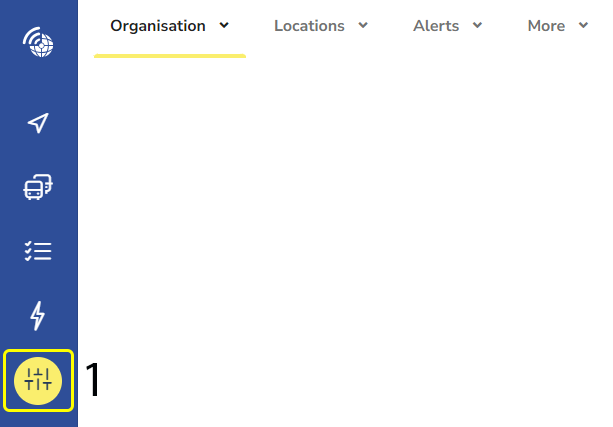
- Select the settings Icon
(You will automatically be taken to the drivers tab)
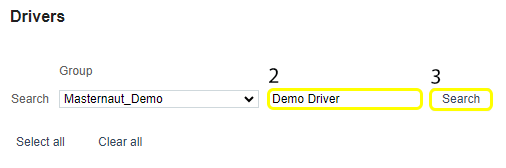
2. Search the driver name you would like to enter
3. Click "Search"

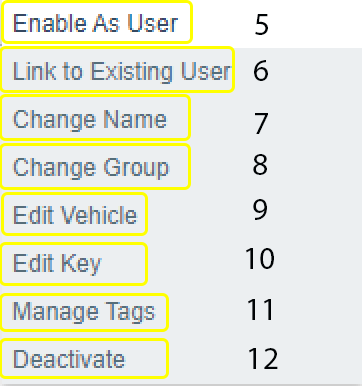
6. Link to Existing User: Assigning the driver to an existing Username
7. Change Name: Use to correct a Driver's name – Do not use for renaming to a new Driver
8. Change Group: Assign a Driver to a different group
9. Edit Vehicle: Permanently assign a Vehicle to a Driver if Driver ID is not used
10. Edit Key: Assign the Drivers RFID Tag number if Driver ID is used
11. Manage tags: To add tags to drivers
12. Deactivate: Deactivating a Driver moves them to the "Show Deactivated Drivers‟ section at the top of your screen
Creating & making change on a driver :