
How do I manage location groups?
Location groups can be added or edited by going to Settings, Alerts & Locations -> Locations -> Groups.
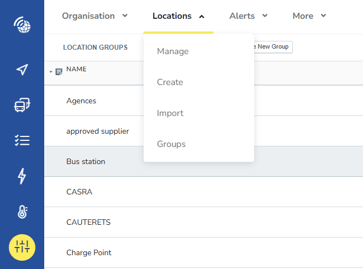
From the “Groups Page” the list of the existing location groups are currently displayed. Existing groups can be edited or deleted by clicking on the "edit" icon.
To add a new location group click the "Create" icon. You will then need to add in a location group name and select an icon for the newly created group.
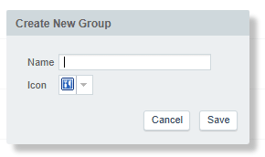
New location groups must have a name and an icon selected before they can be added.