
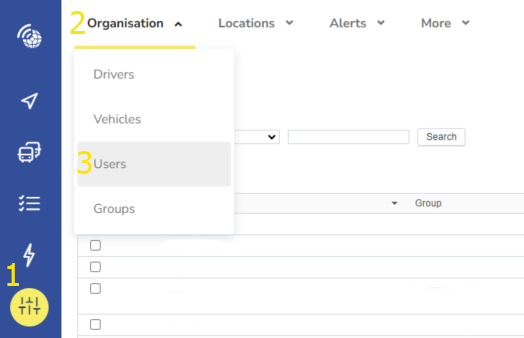
1. Got to the Settings page
2. Click on Organisation
3. Click on Users
7. Click Reset Password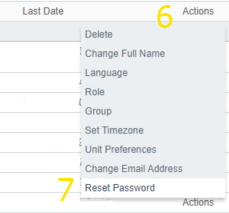
2. Click on Organisation
3. Click on Users
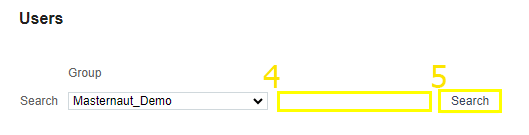
4. Type the name of the user you want to reset the password for
5. Click Search
7. Click Reset Password