
A user of the MyConnectedFleet platform has the ability to subscribe to reports. They are able to receive reports as frequently as they would like, as well as have these sent directly to their email address. As a result, a user will not be required to log onto the platform to access their reports, these will be available to them via email.
- Go to Drivers, Vehicle and Reports
- And click on Reports Library
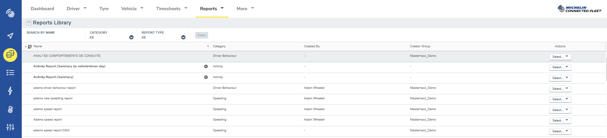
The Report Library contains numerous reports that you can use to monitor and analyse your fleet’s metrics.
Locate the desired report and:
- Click on Select button on the right-hand side
- Click on Create an email Subscription
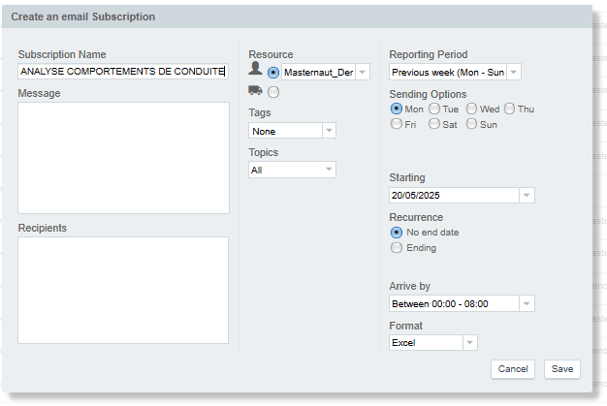
A new window is displayed asking to configure the report subscription. The window details may depend of the type of reports selected. Standard parameters are:
- Left: report details, and recipients
- Name and description of the report (it will be displayed in the subject and header of the email)
- Recipients. It can be email address or MyConnectedFleet user name.
- Middle: filter the resources you want to see in the report
- Right: frequencies and report format
Once everything is set up as you wish, click on the Save button!