
Avec notre fonctionnalité Zones à Faibles Émissions, vous pouvez analyser vos trajets, notamment où et quand vos véhicules sont entrés dans une zone à faibles émissions.
Nous sommes en mesure de déterminer avec précision le point d’entrée et de sortie de vos véhicules dans ces zones, afin que vous puissiez gérer les coûts supplémentaires éventuels.
Où trouver votre rapport sur les Zones à Faibles Émissions ?
Les entrées dans une zone à faibles émissions sont générées automatiquement une fois le trajet terminé.
Pour accéder à votre rapport :
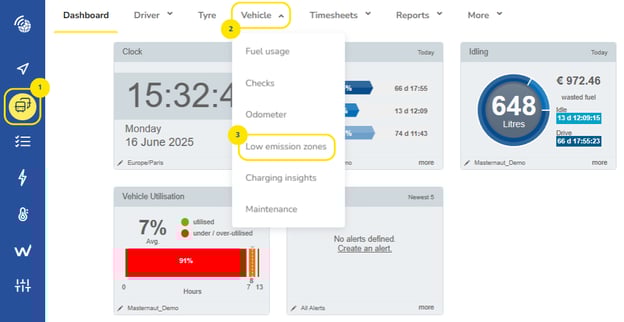
- Cliquez sur l’icône Véhicule dans la barre de navigation.
- Ouvrez le menu déroulant en sélectionnant « Véhicule » dans le ruban.
- Sélectionnez « Zones à faibles émissions » pour afficher votre rapport.
Affiner vos résultats
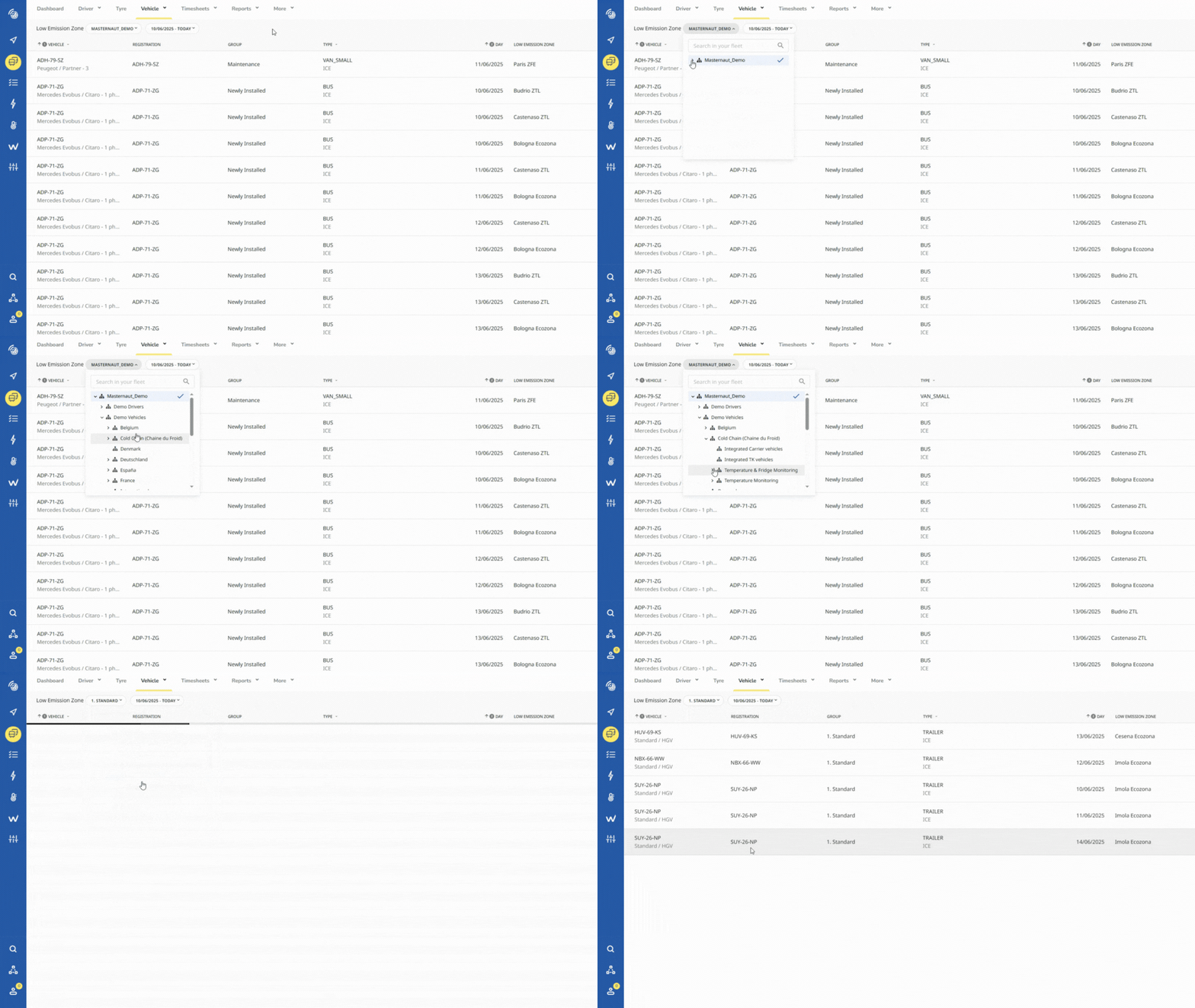
Utilisez les sélecteurs pour définir vos paramètres. Sélectionnez le groupe que vous souhaitez analyser et/ou les dates des entrées enregistrées.
Pour voir les groupes mis à jour, cliquez n’importe où sur la page. Pour appliquer vos paramètres de date, assurez-vous de cliquer sur « Appliquer ».
Exporter vos résultats
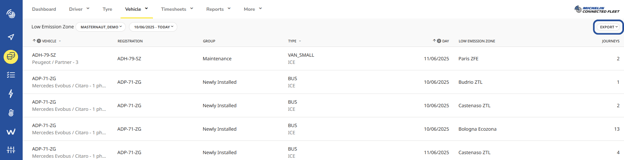
Pour exporter vos résultats, cliquez sur le menu Export et sélectionnez le type de fichier.
Remarque : l’export est disponible uniquement au format CSV.
Analyser vos trajets
Pour une analyse plus détaillée des points d’entrée de vos véhicules dans une zone à faibles émissions, vous pouvez utiliser le Suivi de trajets.